Step-by-Step CD Label Application Guide (No Bubbles or Crooked Labels)
Step-by-Step Guide to Applying CD Labels Without Bubbles or Misalignment
At GD Print, with over 40 years of print experience, we know how much impact a perfectly applied CD label can make. Whether you’re using vinyl CD stickers, DVD printer labels, or traditional paper CD labels, the key is all in the technique. Correctly aligned labels not only help's give extra life to your stickers but also the disc, protecting it from dust and surface damage, whilst not letting anything underneath the sticker. This guide will help you avoid frustrating misalignments, bubbles, and peeling corners—so your CD label printing looks as professional as your content.
Why It Matters
Applying CD labels incorrectly can result in: • Air bubbles that look unprofessional • Misalignment that ruins your design • Peeling that causes jams or damage when inserted into players • Dust underneath label, reducing its life span. • Disc Imbalance That Affects Playback. • Ink Smudging from Improper Drying Time • Warping or Curling Due to Humidity With GD Print's 40+ years of experience we estimate that about 25% of home applied CD Labels we see are incorrectly applied, leading to some of the problems above occurring. These reasons can make it vital that you correctly apply your labels, whether its for production purposes or a family heirloom. | 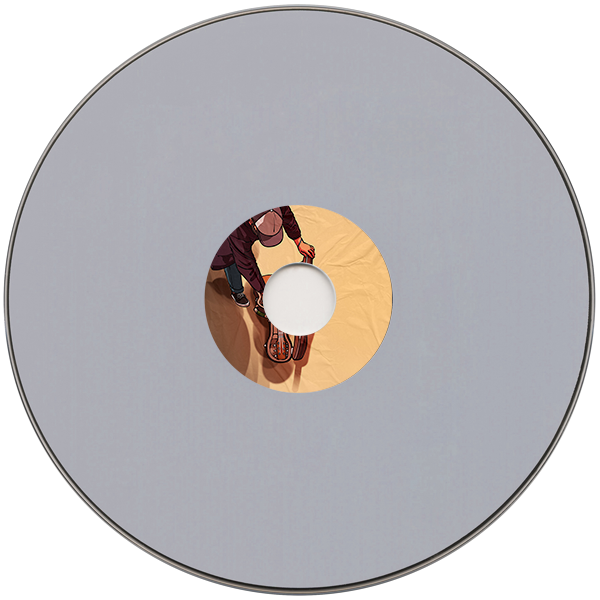 Example of a CD With Bubbling and Peeling. |
Step-by-Step: How to Apply CD Labels Like a Pro
1. Clean the Disc Surface
Use a lint-free cloth to gently wipe the CD or DVD. Oils from your hands or dust particles can prevent the adhesive from sticking properly.
2. Use a Label Applicator or Template
A CD label applicator or template ensures that the label is centred and perfectly aligned. If you’re printing labels using a CD label maker or downloading a template from a CD label creator, make sure it’s designed to fit standard disc dimensions (usually 120mm).
3. Peel With Care
If you’re using vinyl stickers or self-adhesive CD printer labels, peel slowly to avoid stretching the label or bending the edges. Touch only the backing edges to avoid fingerprints.
4. Apply the Label From the Centre Outward
Place the label onto the disc starting from the centre hub. Smooth outwards in a circular motion using your fingertips or a soft cloth to avoid air pockets. For vinyl CD stickers and vinyl DVD stickers, this method helps maintain the adhesive’s integrity and finish.
5. Check for Air Bubbles or Wrinkles
Hold the disc up to light. Gently press out any bubbles with a cloth or your finger wrapped in a tissue.
6. Let It Set
Let the label set for 10–15 minutes before placing the disc in any case or drive. This ensures strong adhesion and reduces the chance of peeling.
Common Mistakes to Avoid
Skipping the Cleaning Step
Before applying any CD, DVD, or vinyl label, it’s essential to wipe the surface clean. Dust, fingerprints, or oil can prevent the label from sticking properly and lead to peeling, bubbling, or uneven adhesion. Use a lint-free cloth or alcohol wipe to ensure the surface is clean and dry before you begin.
Using Low-Quality Labels with Weak Adhesive
Cheap labels might save money upfront, but they often come with poor adhesive that doesn’t last. Over time, these labels may lift, shift, or cause printer jams. Always choose high-quality printable labels designed specifically for CDs, DVDs, or vinyl sleeves for a professional and long-lasting result.
Rushing the Alignment Without a Guide
Misaligned labels not only look unprofessional but can also cause imbalance issues in disc drives. Take your time with positioning, and always use a label applicator or software template to guide accurate placement. This is especially important for full-face disc labels or detailed designs.
Applying Labels in a Humid or Dusty Environment
Environmental conditions play a major role in label application. High humidity can affect adhesion and cause warping, while dust particles can get trapped under the label and create bubbles. Apply your labels in a clean, dry space for best results.
Using Incompatible Labels for Your Disc Printer
Not all labels work with all printers. Inkjet-compatible CD labels won’t work in thermal printers, and vice versa. Always check your printer’s specifications and choose labels that match your printer type—whether it’s inkjet, laser, or direct-to-disc.
Best Products for Easy Label Application
At GD Print, we make CD and DVD labelling simple, professional, and hassle-free with our high-quality range of products designed for smooth application and long-lasting performance. Whether you’re producing a commercial release or a personal project, our label solutions help you get the job done right the first time. Here’s what we offer:
• Vinyl CD Stickers and Vinyl DVD Stickers
Our premium vinyl labels are designed to last. Waterproof, fade-resistant, and scratch-resistant, they offer a sleek, durable finish that adheres securely to your discs without bubbling or peeling.
• Matte and Gloss Finish Options
Choose from a classic matte look for a subtle, professional appearance, or go with a high-gloss finish to make your colours pop. Both finishes are available across our full range of disc label products to suit any branding or personal style.
With GD Print, you can count on reliable, high-quality label materials that are easy to apply and look fantastic. We support businesses, artists, and creators across the UK with fast delivery, friendly service, and over 40 years of printing expertise.
How to Print Your Own CD & DVD Labels with GD Print
Looking to personalise your discs? At GD Print, we make it easy to print your own CD and DVD labels:
• Use our inbuilt CD label creator and CD label maker to design your own artwork directly online.
• Choose from premium vinyl stickers, gloss, matte, or waterproof finishes.
• We support both small and large orders, making it perfect for events, bands, businesses, or gifts.
• Our precision printing technology ensures compatibility with common CD label printers, giving you full control over your look and finish.
• Whether you’re creating DVD printer labels, vinyl CD stickers, or custom branded discs—we’ve got you covered.
This flexibility and professional quality make GD Print the trusted UK provider for CD label printing. Check them out here!
Need Help? Get in Touch!
Call us on 01425 621590
Email: sales@gdpm.co.uk
Website Contact Page: Link here
Based in the South? Search “GD Print printing near me” for local support in Bournemouth, Southampton, and beyond. Alternatively visit our vinyl stickers product page here!
Bringing 40+ years of print expertise to businesses across the UK. GD Print is a professional print company based in New Milton, serving customers across Bournemouth, Southampton, and the UK. We specialise in custom vinyl stickers, wall decals, and eco-conscious printing solutions.

