How To Use GD Print
How To Use GD Print
Welcome to GD Print – your trusted UK printing partner with over 40 years of experience. Whether you’re ordering business cards, brochures, posters or personalised gifts, our website makes it easy to get exactly what you need. Here we have assembled a guide on how to navigate our website and use all our services.
1. Browse products
Start by exploring our range of products from the main navigation menu. You’ll find:
• Business Printing (Business Cards, Brochures, Leaflets, etc.) • Promotional Materials (Posters, Banners, Stickers) • Personalised Products (Gift Bags, Invitations, Labels) • Themed Printing (Weddings, Birthdays, ect.) • Specialist Printing Services • View all our products Each product page includes details on available sizes, paper types, finishes, and delivery options. Alternatively, you can use the search bar at the top of the page if you know the exact product that you are looking for. | 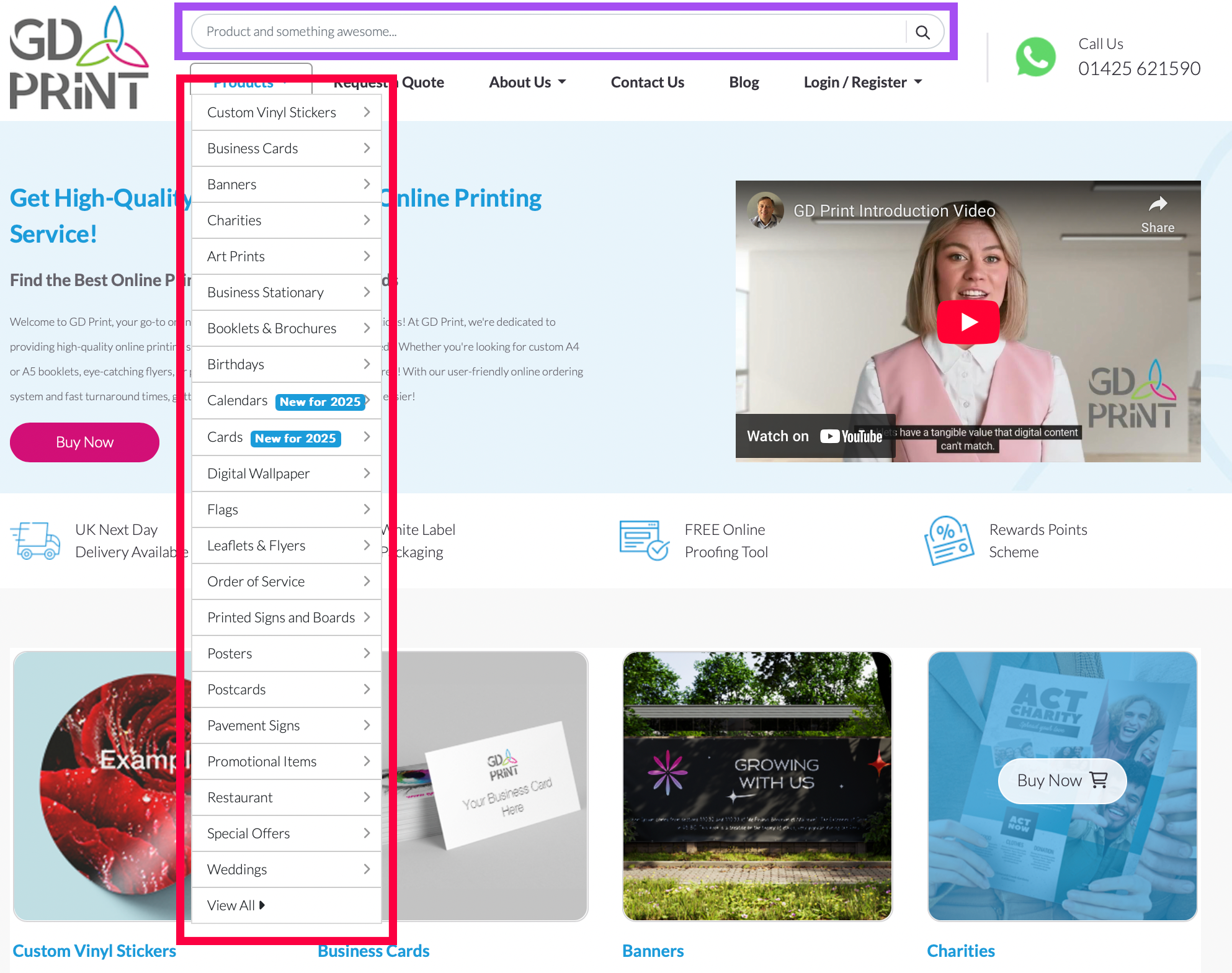 |
2. Customise your order
Once you’ve selected a product, you can:
• Choose quantity, size, paper stock, and finishes • View more information on the product by hovering over the ? box • Upload your own artwork (PDF, PSD, AI formats) • Use our design to create and save artwork to your GD Print Account • Add custom notes or design instructions if needed • Learn more about shipping options & prices Need help with your design? Our in-house team can assist for an additional fee—just select the “Custom Design Service” option on available products or contact us here. | 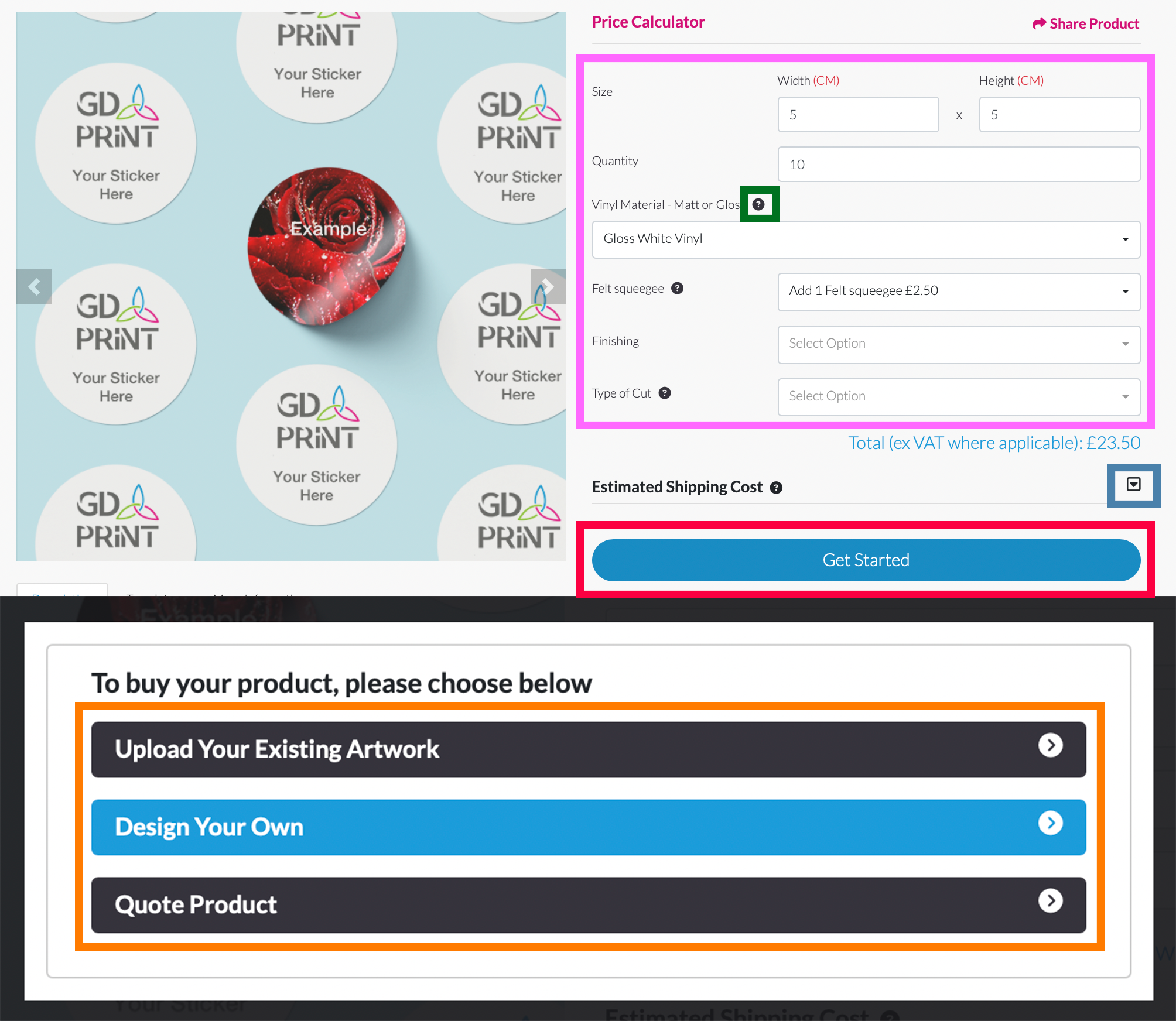 |
3. Use our Design Tool
Don’t have your artwork ready? No problem! Our built-in Design Tool makes it easy to create professional-looking designs—right from your browser:
With features similar to Canva and other popular online design platforms, you can: • Drag and drop text, images, and shapes into place • Layer text over images for eye-catching effects • Resize, rotate, and align elements easily • Use pre-made templates, text styles, and stock images to speed up your design • Upload your own logos or photos directly from your device • Preview your design in real time before submitting your order • Save your design in your account so you can easily reorder or make updates in the future! Whether you’re designing a business card, flyer, or banner, our design tool helps you build a polished, print-ready layout—no design experience required. | 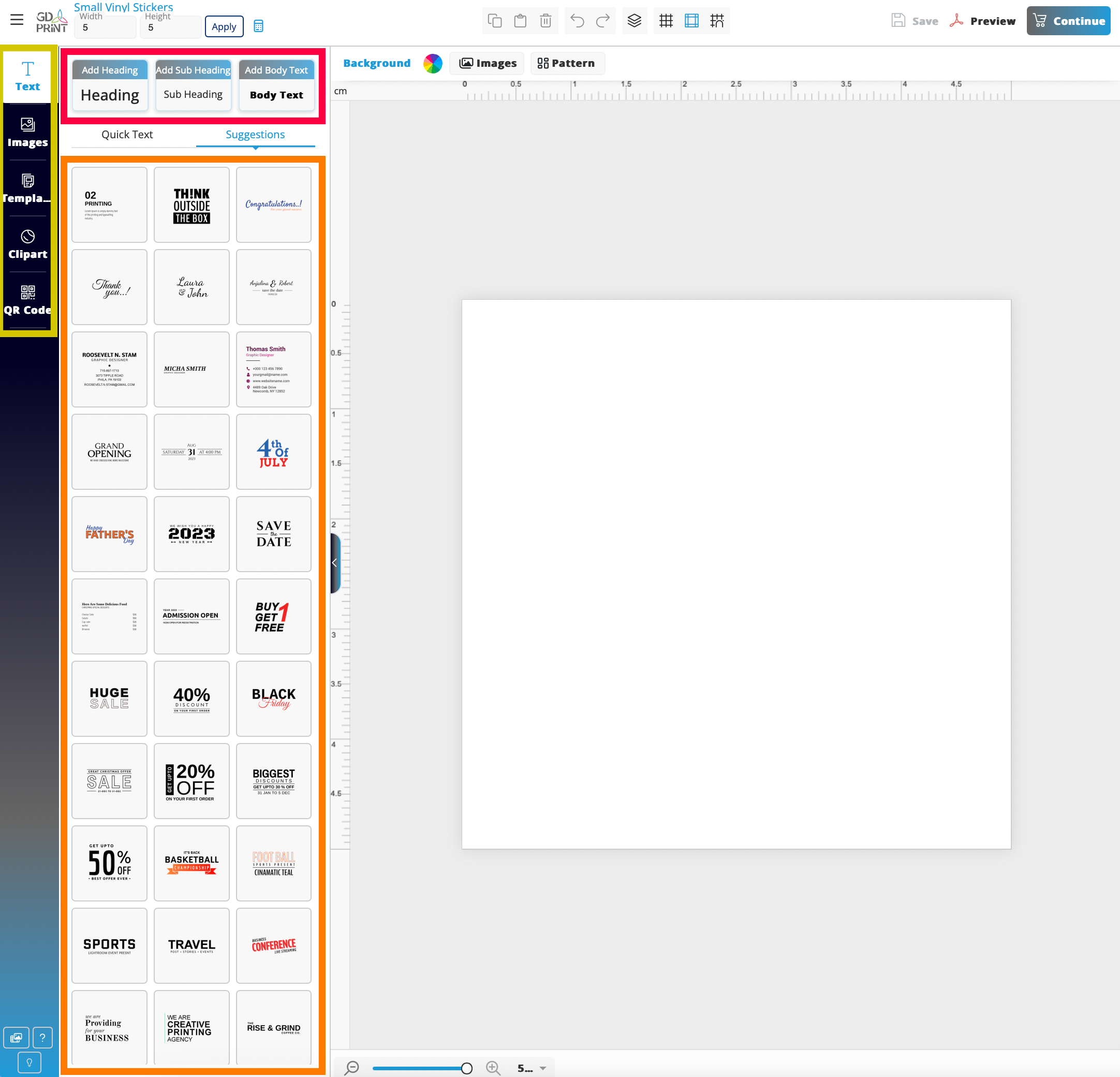 |
4. Upload your artwork
Already have your design ready? Our Upload Your File option makes it easy to send us your print-ready artwork.
How It Works: • Select the “Upload Your File” option on the product page. • Drag and drop your artwork into the designated upload box. • Preview your file once uploaded to confirm it looks correct. • Adjust the size of your product (if needed) to match your artwork dimensions. • Review product-specific guidelines displayed on the page before submitting. | 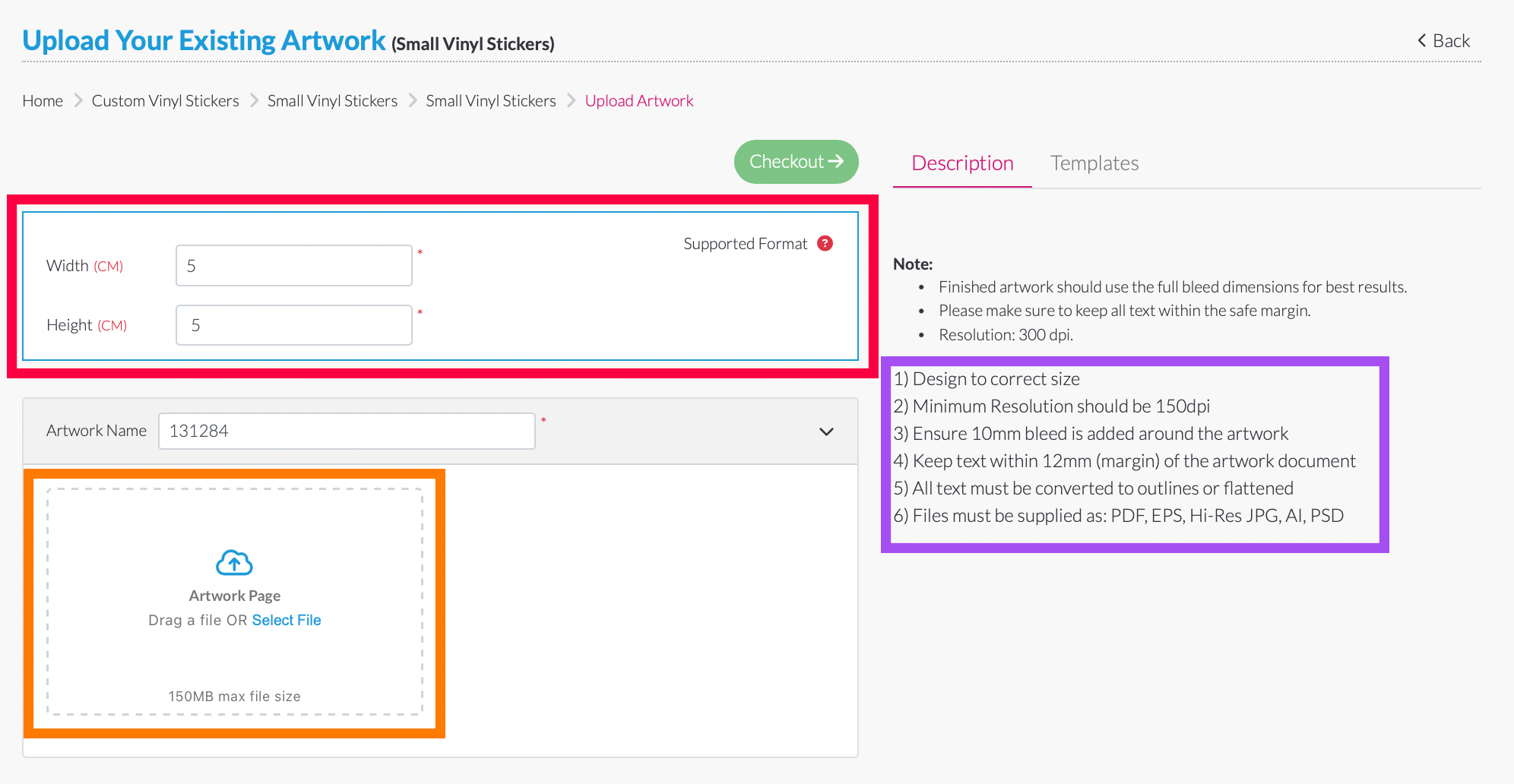 |
5. View created artwork
Easily manage your saved designs with the Portfolio feature—perfect for repeat orders or ongoing projects.
How to access and what you can do: • Click on “Portfolio”on the side navigation bar • All your saved artwork will be available here in one place • View and edit your previously saved designs • Preview your artwork as a PDF before printing • Reorder items directly from saved designs—no need to upload again | 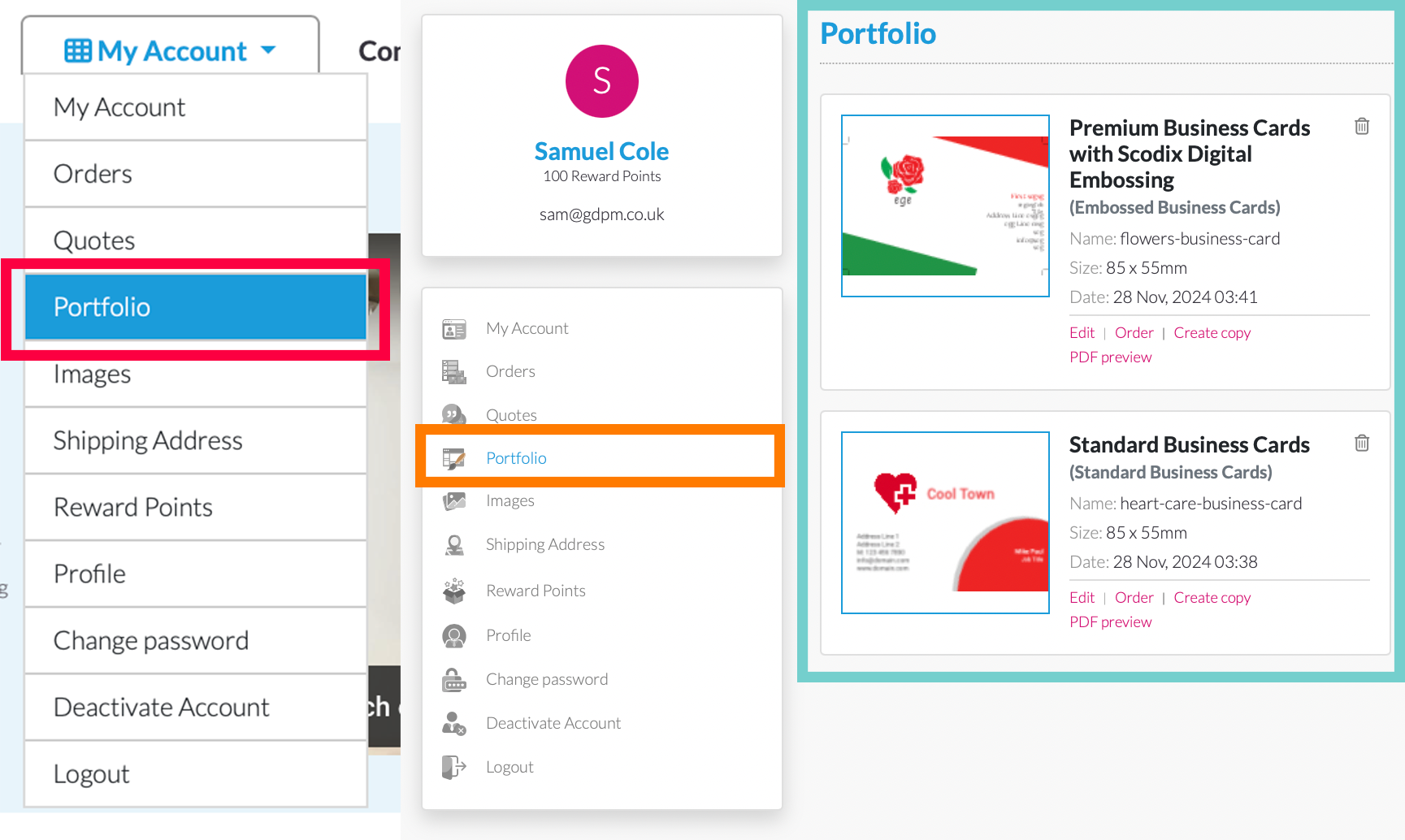 |
6. View your orders
Keep track of all your purchases in one place with the Orders section of your account.
How to Access and What You Can Do on the Order Page: • Click on “Portfolio” Then select “Orders” • View order details including product name, order number, and status • View the status of each individual print • Reorder any previous job with just one click • Cancel pending orders (where available) • Track your order status in real time | 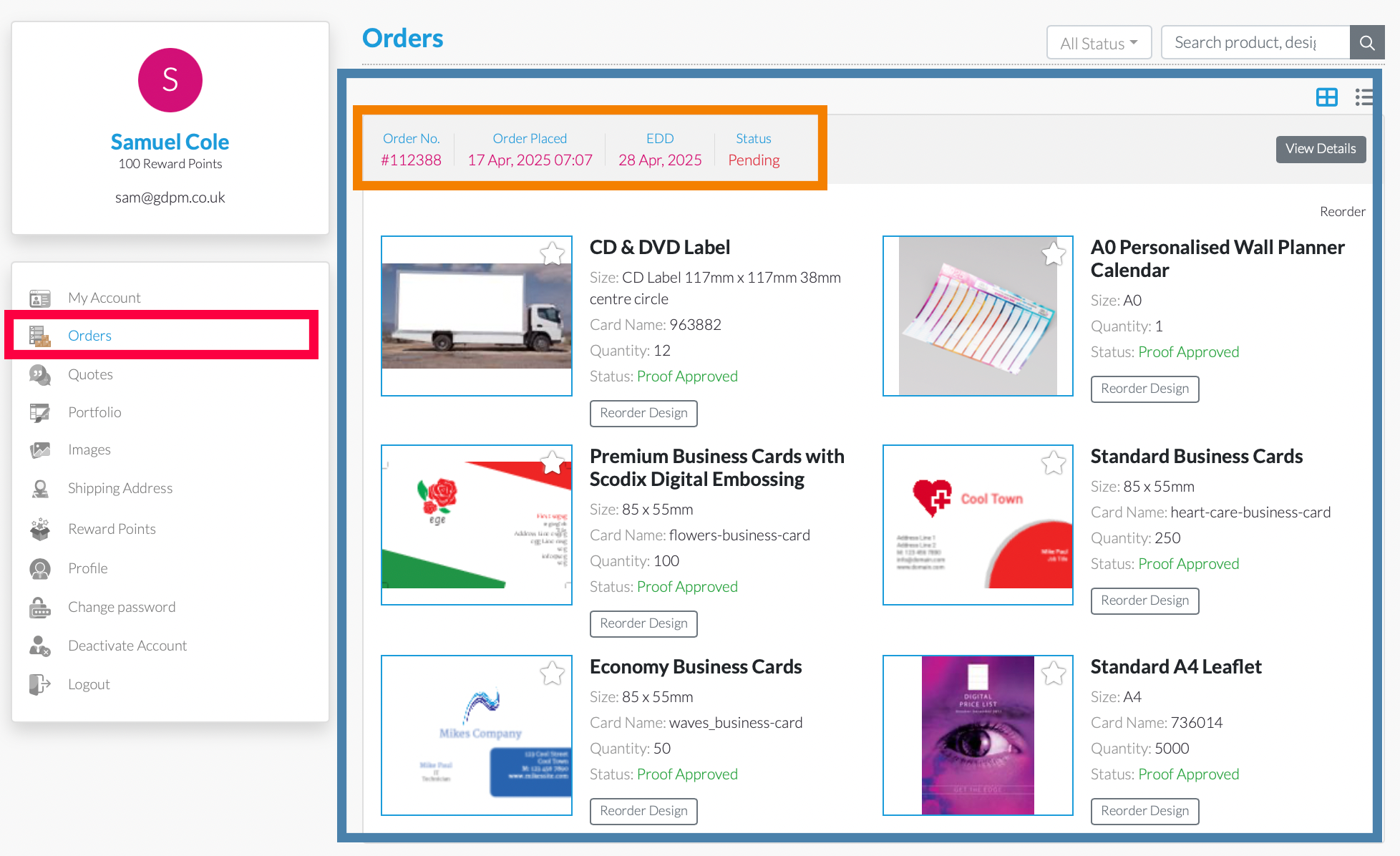 |
7. Contact Us
Have a question or need help with your order? We’re here to assist you.
You can get in touch with us by filling out the contact form on this page—just enter your details and a member of our team will get back to you as soon as possible. If you prefer, you can also find our full company contact details listed below, including our phone number and email address. Looking to visit us in person? Our interactive map shows our exact location via Google Maps, making it easy to find us. Whether you need expert advice, a design consultation, or want to discuss your printing project face-to-face, you’re very welcome to stop by. We’re proud to offer friendly, local service backed by over 40 years of professional print experience. | 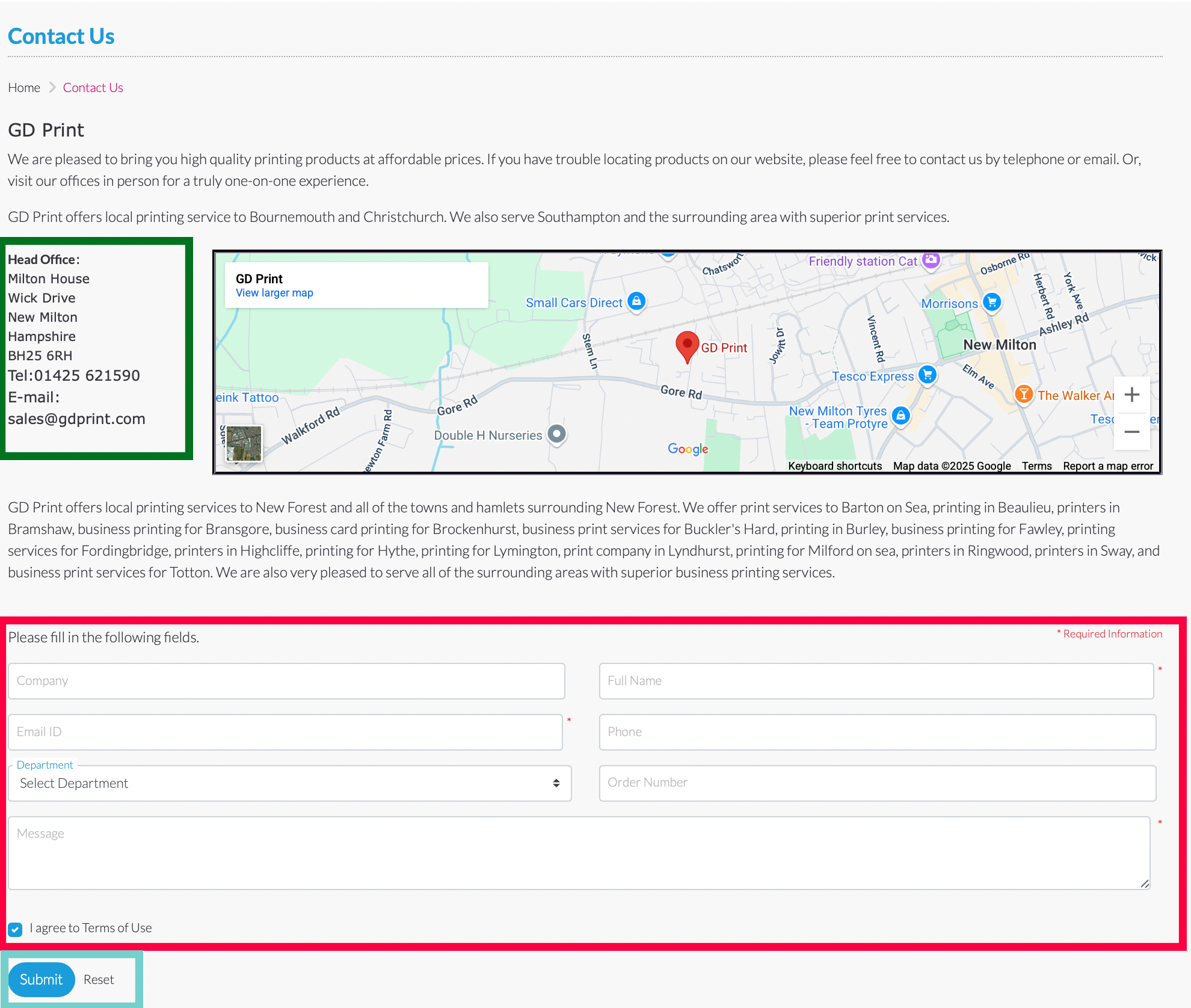 |

