How to Clean Vinyl Records and CD/DVD's
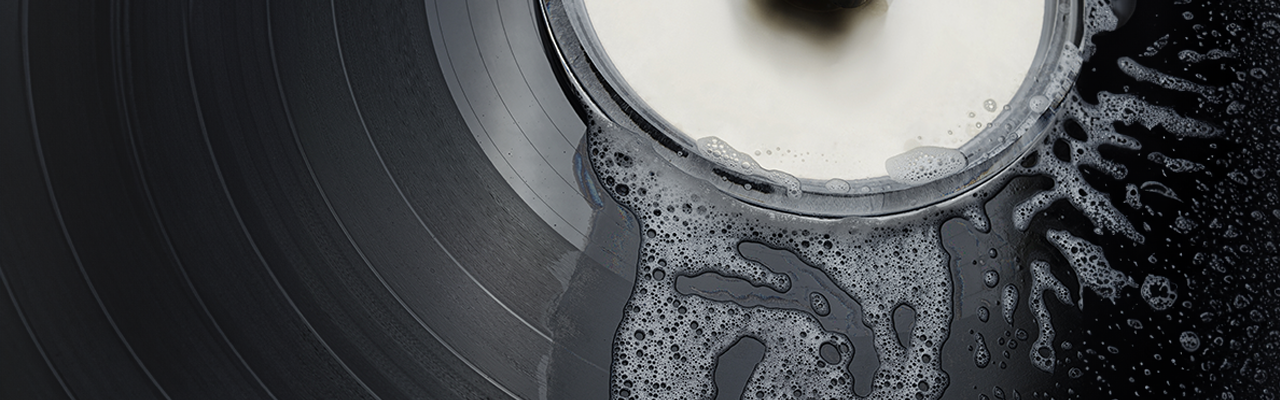
How to Clean Vinyl Records and CD/DVDs
Vinyl records and CDs/DVDs are making a strong comeback, not just for collectors but for anyone who values high-quality sound and visuals. However, to keep your media in top condition, proper cleaning and care are essential. Scratches, dust, and dirt
can impact playback quality and even damage your equipment over time.
In this guide, we’ll walk you through how to clean vinyl LPs, CDs, and DVDs safely, plus share tips for maintaining them long-term. We’ll also cover the best vinyl cleaning kits, safe methods for cleaning CDs, and why proper maintenance matters for your collection.
Why Clean Your Vinyl Records and CDs/DVDs?
Cleaning your vinyls not only extends the life of your cd's and vinyls, but extends the value. Whether you are a collector, investor or have valuable memories around your media, everybody has a reason to protect and nurture there physical media. Here are some of the top reasons as to why you should be cleaning your vinyls, cd's and dvd's:
• Improves Playback Quality: Dust and dirt cause crackling sounds on vinyl records and skipping on CDs/DVDs.
• Extends Lifespan: Proper cleaning prevents scratches and warping.
• Protect's Equipment: Prevents debris transfer into your DVD/CD player or turntable.
• Preserves Artwork: Vinyl adhesive labels, custom CD covers, and DVD labels also last longer when cared for properly.
• Increases Value: Dirty or dusty vinyls with damaged packaging can decrease the value of a Record, CD or DVD.
How Often Should You Clean Your Vinyl Records/CD's/Dvd's?
CD's and DVD's do not require much upkeep, Clir states that CDs or DVDs do not require routine cleaning and should be cleaned only when necessary (visible dust is there). [Clir] This is due to a natural protective coating and the methods used to read a disk, often times being less destructive like on a vinyl record. It is harder for dust and debris to enter the surface of a CD/DVD, unlike vinyl.
But how often you clean your vinyl records is divisive and very person dependent. Atlus Records states that a record should only need to be thoroughly cleaned once, as long as it's stored correctly, and a light clean after every listen. [Atlus Records] Whereas audio-technica mentions Some people clean their records and stylus before and after each use to maximise the performance and experience. [audio-technica]
Now as you can see the consensus is confusing, different medias require different upkeeps, products and protective care. K&B audio states that how often you play your records, environmental conditions, and how you store them all come into factor when deciding your cleaning routine, [K&B Audio] adding to the confusion of how and when you should clean your physical media. However, with GD Print's 40+ years of helping vinyl & CD/DVD owners with there printing, we have discussed with and learned from our customers how often and when they clean there media, even cleaning some ourselves using there advice before printing and application!
Based on GD Print's experience, we would say that CD's/DVD's and vinyls should be cleaned only when visible dust is on the surface, and cleaned very gently. This will be based on usage of the CD/DVD, so from as little as once a year if you use it infrequently, but upwards of once a month if used daily! For vinyl records, this is also based on usage, if visible dust and grime is on the surface due to usage, they should be cleaned gently. But if the record is spotless, do not clean the record, even if it hasn't been used in a long time.
How to Clean Vinyl Records
Now then, if my records need to be cleaned, how best should I do that? Here based on GD Print's 40+ years of experience, we have devised a simple list on you can clean your vinyl LPs:
1. Gather Your Cleaning Tools
• Vinyl Cleaner Solution: Always use a solution designed for records. Avoid household cleaners.
• Microfiber Cloth: Soft, lint-free cloth to prevent scratches.
• Vinyl Cleaning Kit: These often include a brush and cleaner for best results.
2. Dust Before Cleaning
Gently remove surface dust using an anti-static record brush.
3. Apply Cleaner
• Dampen a microfiber cloth with vinyl cleaner (never soak your record).
• Wipe in a circular motion following the grooves, not across them.
4. Dry Thoroughly
Let the vinyl air-dry completely before playing or storing.
Pro Tip: Never use water alone. It can seep into the grooves and damage the adhesive labels or inner material.
How Do You Clean a CD or DVD Disc?
CDs and DVDs are more resilient than vinyl records, but they still require care. Here’s how to clean a CD disc or DVD safely based on GD Print's 40+ years of experience:
1. What You’ll Need
• Lint-free microfiber cloth
• Warm water and mild soap (optional)
• CD/DVD-safe cleaning solution
2. The Correct Method
• Hold the disc by the edges—avoid touching the data surface.
• Wipe from the center outward in straight lines, not in circles.
• For stubborn smudges, lightly dampen the cloth with water or cleaner.
How to Wash Vinyl Covers
Vinyl covers often attract dust and fingerprints, but you need to be careful when cleaning covers, especially vintage ones. Harsh chemicals might wear away the ink or paper in the covers and damage them permanently, but old stains might need stronger chemicals to remove them. Here are our tips on how to clean vinyl covers:
1: Use a Soft, Dry Cloth
• Gently wipe the vinyl cover with a microfiber cloth.
• Avoid paper towels, as they can scratch and leave lint.
2: For Stubborn Marks, Use a Damp Cloth
• Lightly dampen a microfiber cloth with distilled water.
• Wipe carefully and avoid letting moisture reach the inner sleeve.
3: Avoid Harsh Chemicals
• Do not use alcohol, bleach, or ammonia-based cleaners.
• These chemicals can damage the cover’s artwork and colour.
4: Dry Immediately
• Let the cover air dry completely before reinserting the record.
5: Add Extra Protection
• Use clear plastic sleeves to protect against dust and moisture.
• If the Vinyl cover is damaged beyond repair, purchase a new vinyl cover from a trusted printer like GD Print. Available here.
Protect your media with Vinyl Covers, CD/DVD Sleeves & Custom Stickers from GD Print
At GD Print, we know that protecting and personalising your collection is just as important as the discs themselves. That’s why we offer a full range of vinyl covers, CD sleeves, and DVD covers, along with custom stickers for your discs.
Protect Your Collection with Quality Covers
• Our vinyl LP record storage solutions, including vinyl holders and protective vinyl covers, help keep your records dust-free and safe.
• For your DVDs and CDs, we stock premium storage options such as CD wallets, CD disc holders, and DVD back covers.
Personalise with Custom Stickers & Printing
• Add a creative touch with vinyl stickers and vinyl decals, perfect for customising a vinyl or branding your discs.
• We provide CD disc cover printing, DVD covers, and customised stickers so you can create professional-looking media.
• Choose from our pre-designed options or custom vinyl printing for a unique finish.
Why Choose GD Print?
• Wide selection of vinyl storage and DVD storage solutions.
• High-quality vinyl sticker printing and CD insert printing.
• Easy online ordering for vinyl covers, CD cases, DVD case templates, and more.
Browse our full collection:
Common Question:
How can you clean a CD if it skips?
A simple clean with a microfiber cloth usually solves playback issues caused by dust or fingerprints.
What to Avoid
• No harsh chemicals like alcohol or ammonia—they can damage the disc surface and printed labels.
• Never use paper towels or tissue—these can scratch both vinyl and discs.
Best Tools for Cleaning
• Vinyl Cleaning Kit: Includes record brush, cleaning solution, and anti-static accessories.
• Microfiber Cloths: Essential for both vinyl and CDs/DVDs.
• Disc Cleaning Devices: For deep cleaning CDs and DVDs.
Maintaining Your Collection
• Store vinyl vertically to prevent warping.
• Keep CDs/DVDs in protective cases or sleeves.
• Avoid extreme heat, humidity, and direct sunlight.
FAQ: Vinyl and CD/DVD Cleaning
Q: How do I clean a vinyl LP without damaging it?
Use a dedicated vinyl cleaner and microfiber cloth, wiping along the grooves.
Q: How do I clean a CD disk if it’s skipping?
Gently wipe from the center outward with a microfiber cloth. For stubborn dirt, use mild soap and water.
Q: Do I need a vinyl cleaning kit?
Yes, if you own multiple records, a vinyl cleaning kit makes cleaning safer and more efficient.
We help collectors keep their media looking professional with custom printing services for labels, covers, and more. GD Print is a professional print company based in New Milton, serving customers across Bournemouth, Southampton, and the UK. We specialise in custom vinyl stickers, wall decals, and eco-conscious printing solutions.

